TLD pricing sync
Import AiVikings.ai TLD pricing into WHMCS, then review your retail prices and enabled terms.

Offer availability checks, TLD pricing sync, premium-domain pricing, registrations, renewals and nameserver management from your WHMCS installation.
Built for hosting providers, domain resellers, agencies and SaaS operators that want domains in their existing customer workflow.
Availability
The approved AiVikings.ai registrar module is available in the WHMCS Marketplace. You can also use the direct ZIP download if your team prefers to install it manually.
You need an AiVikings.ai account and API key to use the module.
Import AiVikings.ai TLD pricing into WHMCS, then review your retail prices and enabled terms.
Check domain availability from the WHMCS order flow before registration.
Use premium pricing during supported availability lookups and cost checks before premium orders are executed.
Register domains and renew existing holdings through your AiVikings.ai account.
Read and update nameservers. Configure optional fallback nameservers for registrations.
Inspect module API calls through WHMCS module logging while testing and troubleshooting.
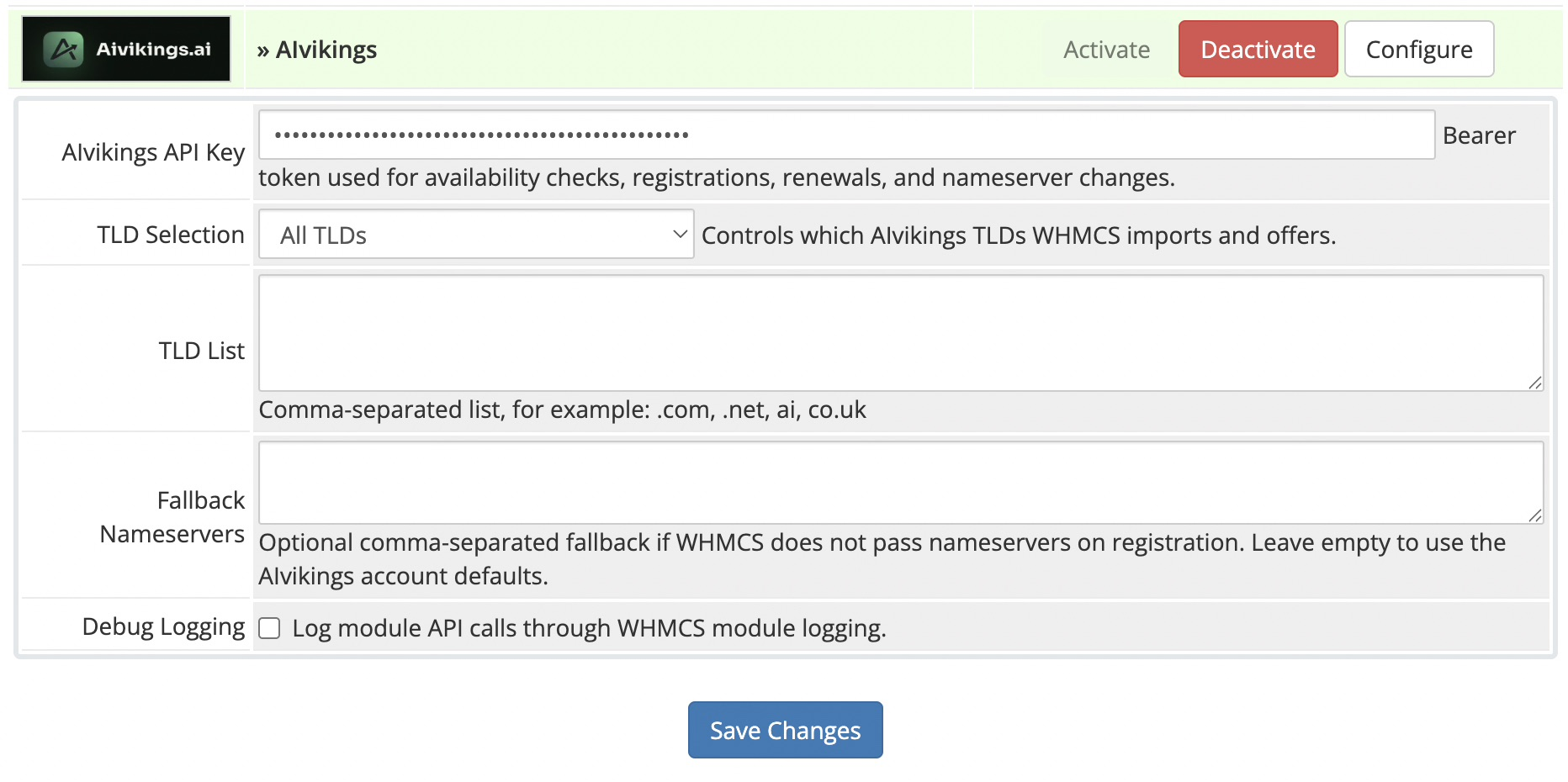
Import all available AiVikings.ai TLDs.
Use an include list for a focused catalog.
Use an exclude list to leave specific extensions out.
Enter TLDs as a comma-separated list, for example com, net, ai, co.uk. Review the imported catalog before offering it to customers.
With premium pricing enabled, the module checks the domain price during supported availability lookups. For orders WHMCS marks as premium and supplies a premium cost for, it rechecks that cost before registration or renewal. A changed cost stops the operation for review.
Standard TLD prices are not a substitute for a premium-domain quote. Read the WHMCS pricing guide.
The reviewed module supports the operations listed above. Transfer-in is not enabled. WHMCS client contact fields are not automatically mapped into registration requests, and domain expiry/status Sync callbacks are not implemented.
Agree how client registrant details will be handled before enabling registrations. Nameserver updates do not move DNS records or hosting. Talk through your requirements.
Yes. The approved AiVikings.ai registrar module is available in the WHMCS Marketplace. Version 1.0.0 is also available as a direct ZIP download from AiVikings.ai. An AiVikings.ai account and API key are required to use it.
You need an AiVikings.ai account, an API key and a WHMCS installation. Install the module, configure your catalog, run Registrar TLD Sync and review Domain Pricing.
Yes. Offer all available TLDs, include only selected TLDs, or exclude selected TLDs. Enter the selection as a comma-separated list.
With premium pricing enabled, availability lookups can return premium prices. For orders marked premium by WHMCS with a supplied premium cost, the module checks the current cost again before registration or renewal and stops when that cost has changed.
No. TLD pricing import is separate from domain status and expiry synchronization. The reviewed module has no domain Sync or TransferSync callback.
Transfer-in is not enabled, and WHMCS client contact fields are not automatically mapped into registration requests in the reviewed module. Discuss the appropriate client registrant workflow with AiVikings.ai before offering registrations.
No. Debug logging helps inspect module API calls. An API key connects to the real account; registration and renewal requests can incur real charges.
Install the approved Marketplace module, create your account and follow the setup guide. Contact us if you need help with your customer workflow.